Your virtual infrastructure, on your own terms.
SkyVirtHCI turns a few ordinary servers into a complete private cloud — with a security operations center already inside, and environments you design by dragging them onto a canvas.
SecSphere SOC ships natively inside SkyVirtHCI. The moment a virtual machine starts, its telemetry flows to the SOC and protection follows it everywhere — across migrations, restarts and hosts.
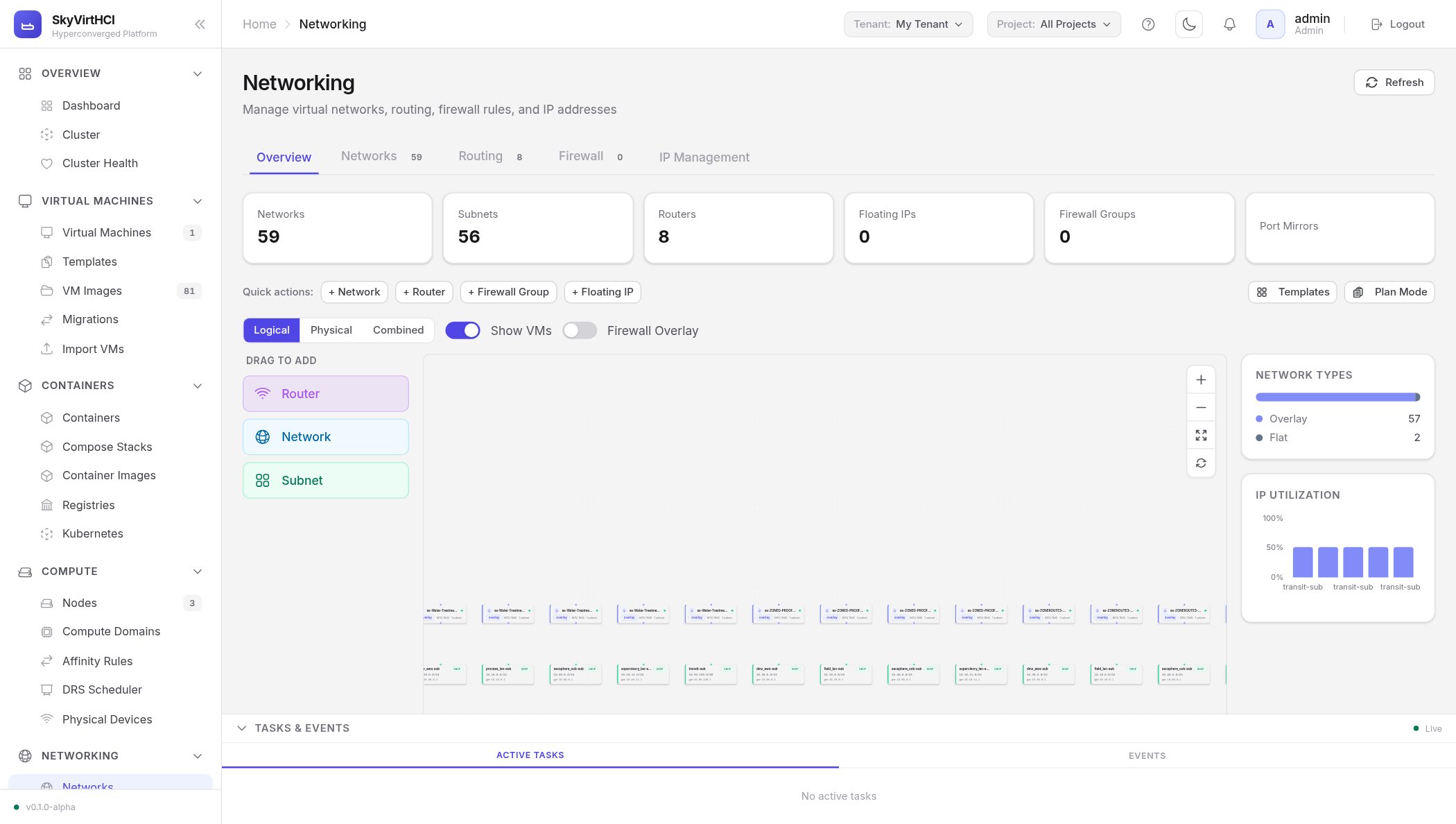
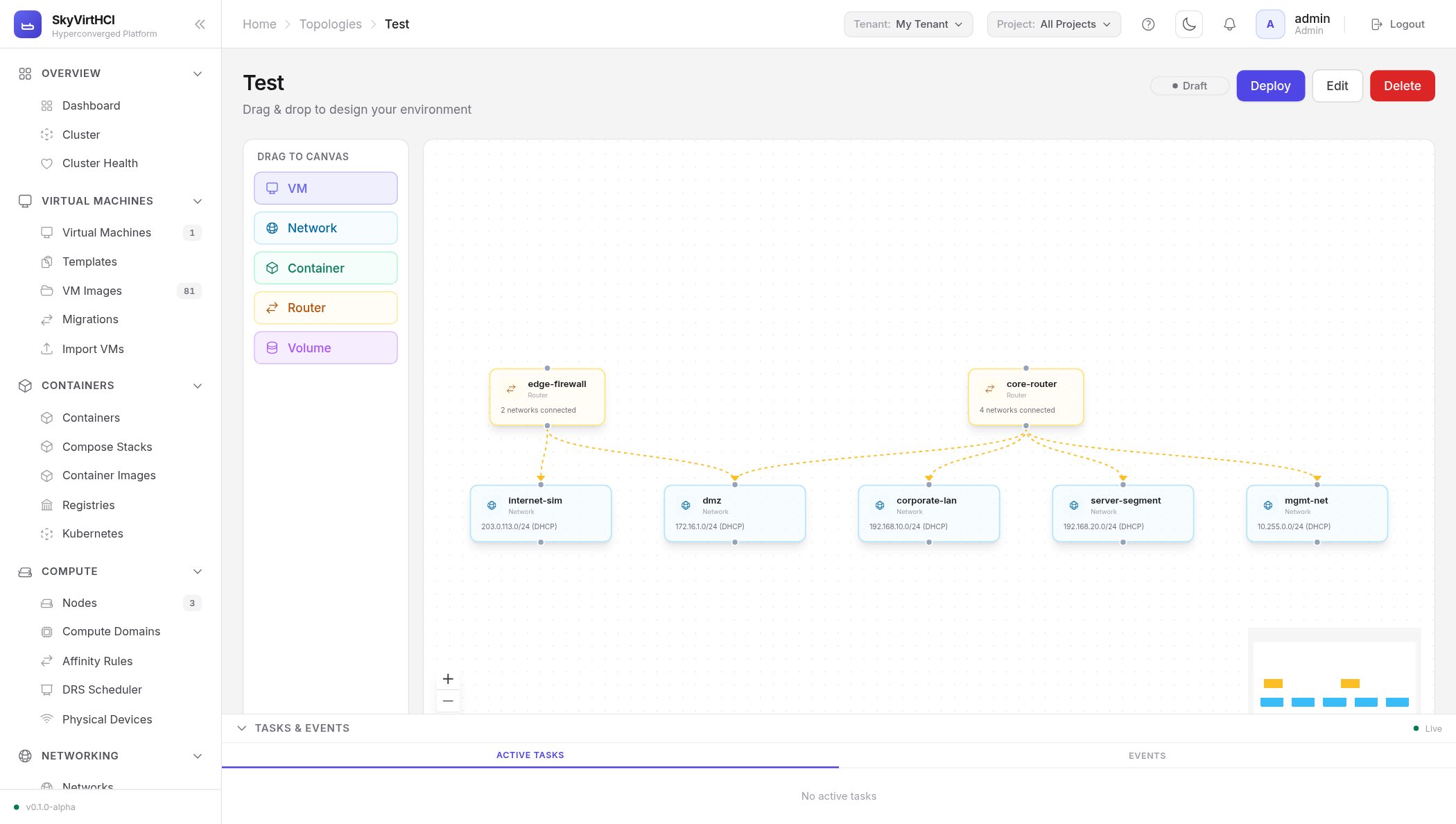
Built for cyber ranges and loved by labs: drag networks, VMs, routers and security zones onto a canvas, connect them, press deploy — SkyVirtHCI turns the drawing into real, isolated infrastructure.
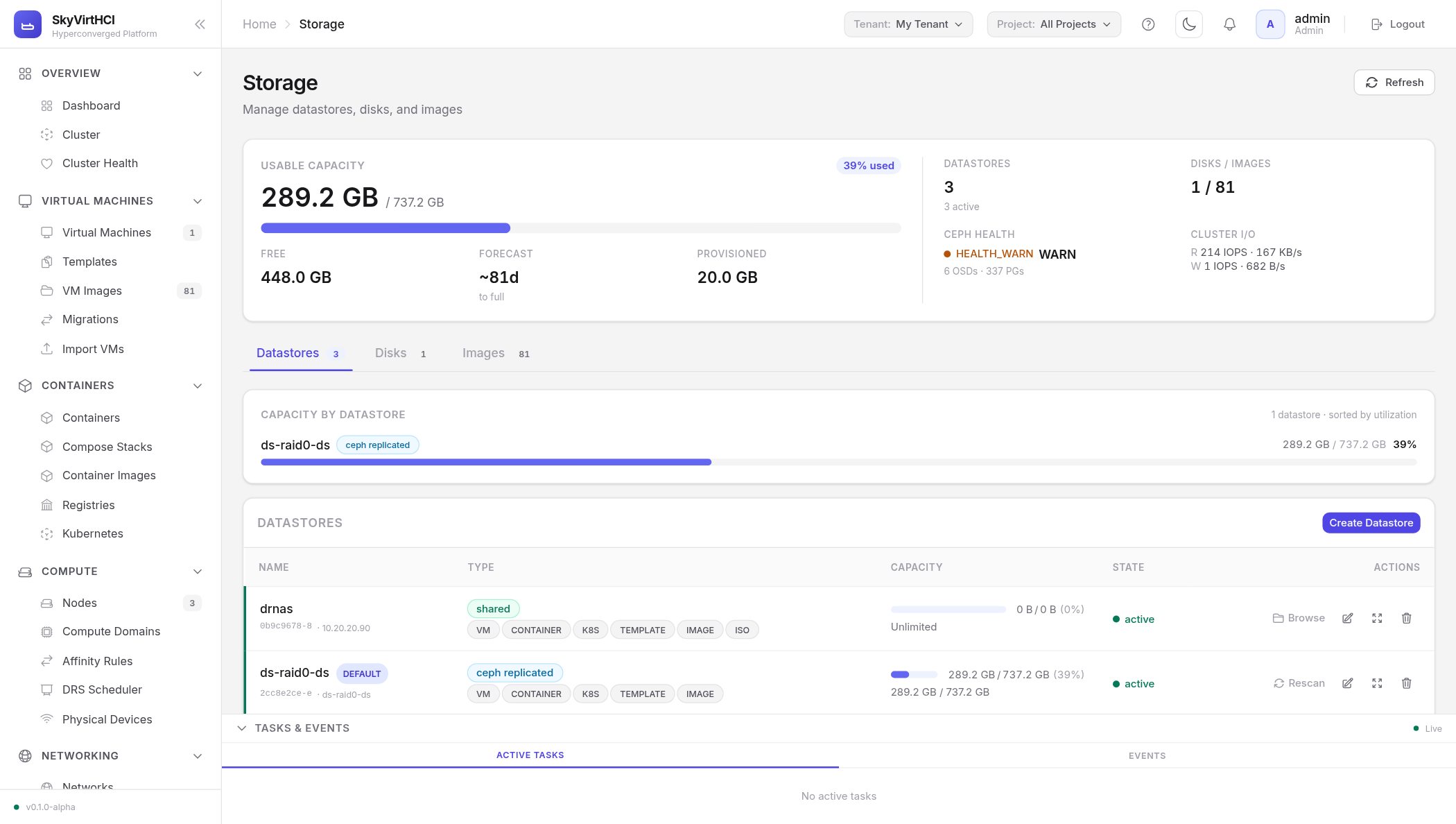
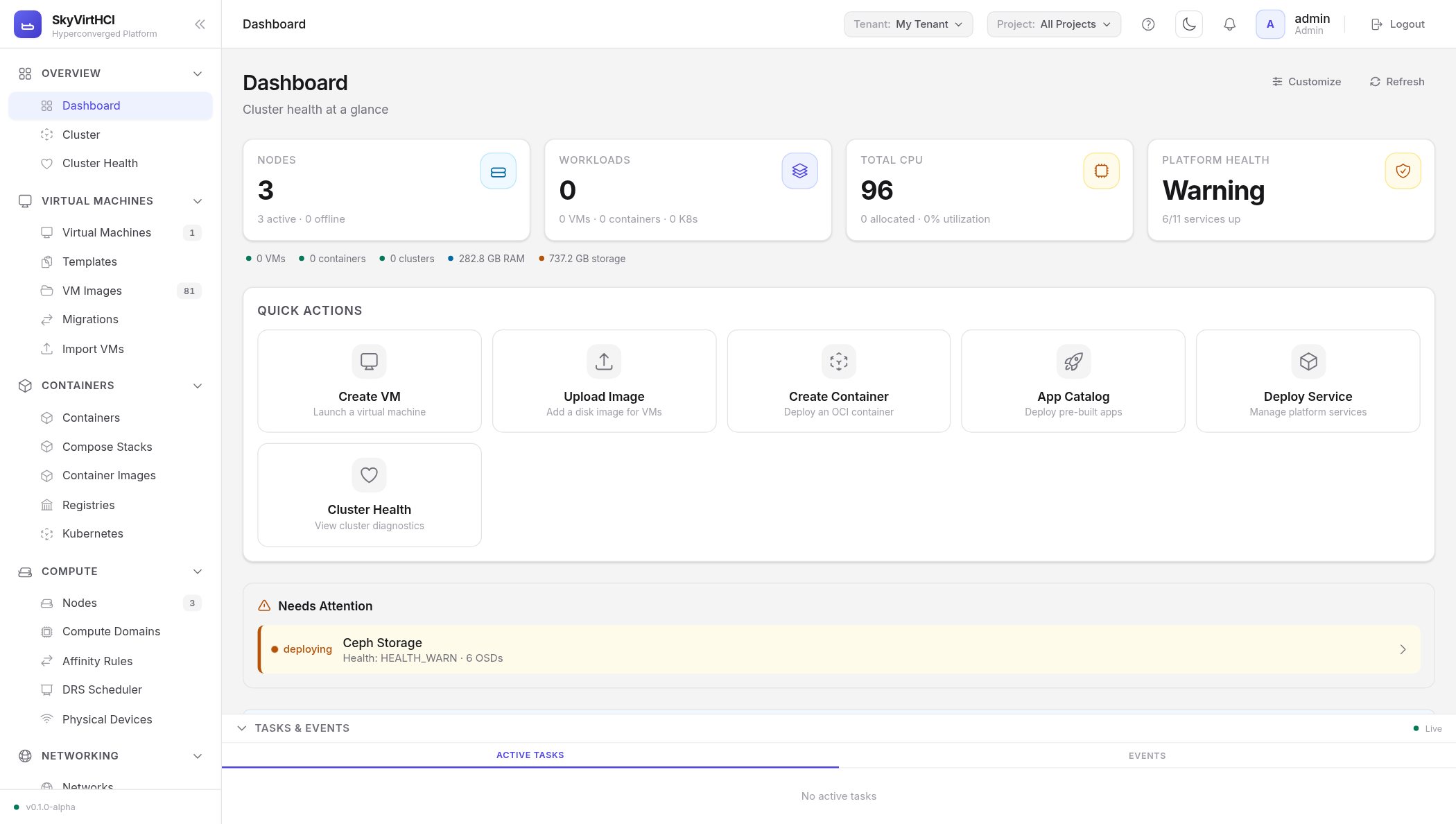
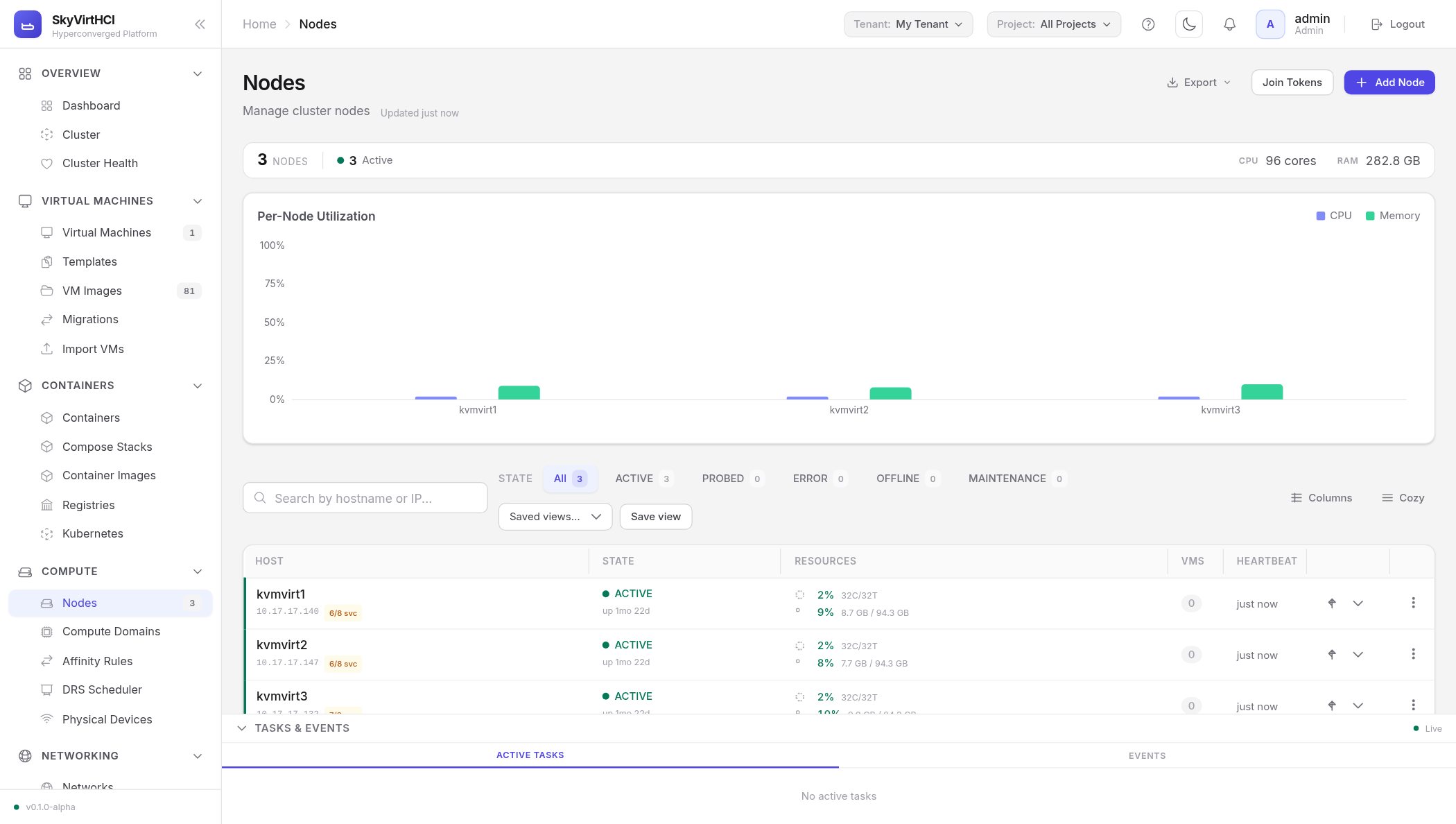
Real screenshots from a running three-node cluster — not mock-ups. Click any screen to view it full size.
Dashboard — cluster health, capacity and quick actions at a glance
Networking — drag-to-add canvas with routers, networks and subnets
Nodes — per-host utilisation, heartbeats and one-click maintenance
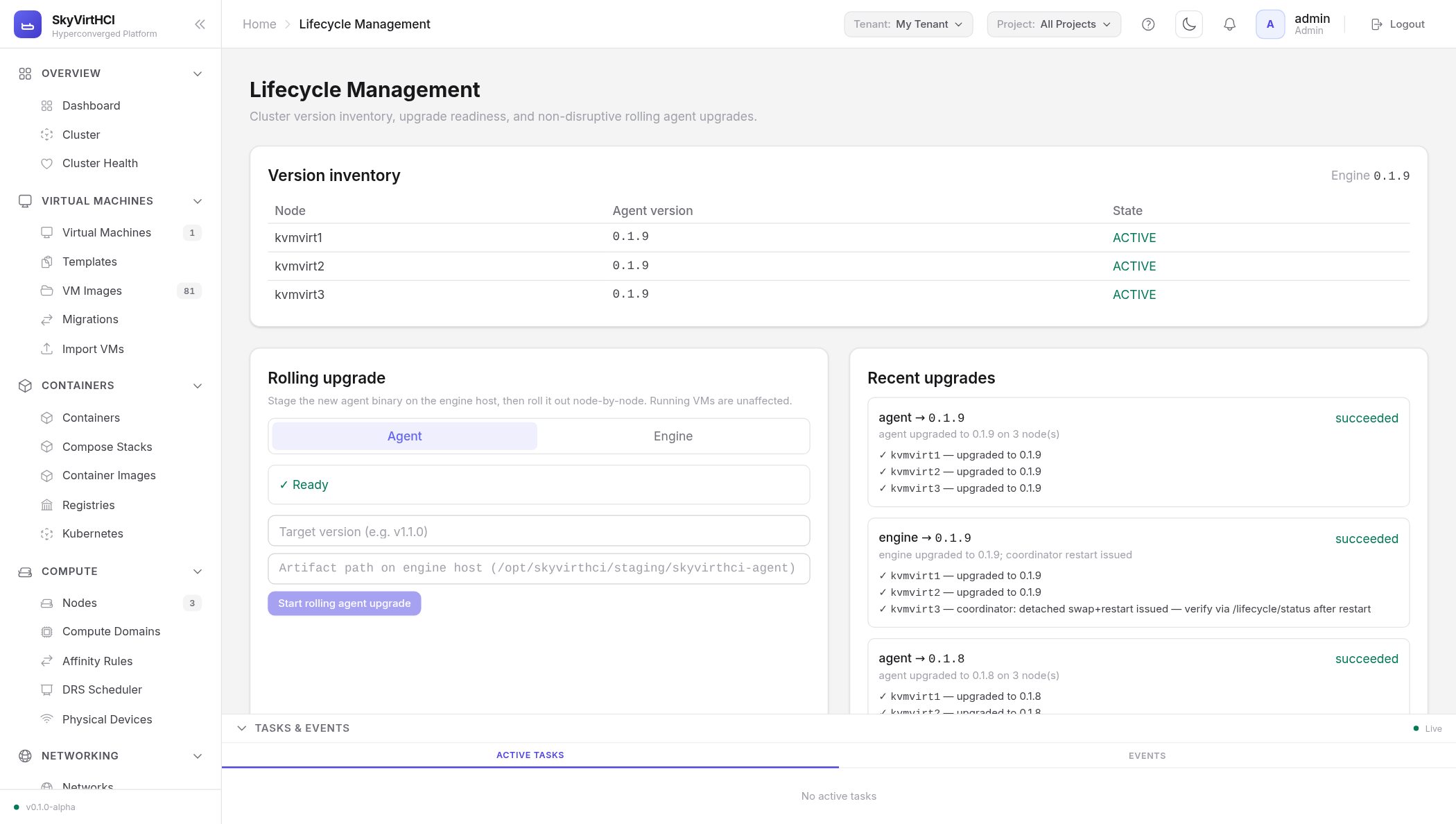
Lifecycle — rolling upgrades with preflight checks and full history
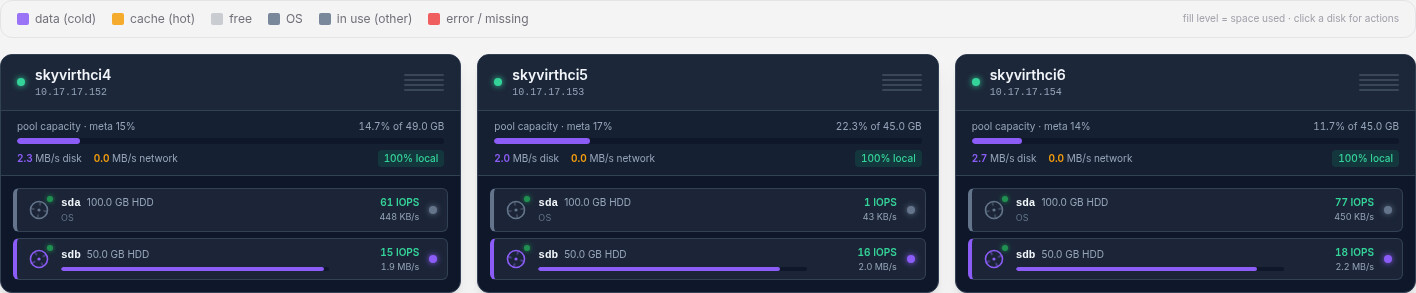
Storage — replicated pool, datastores, capacity forecast
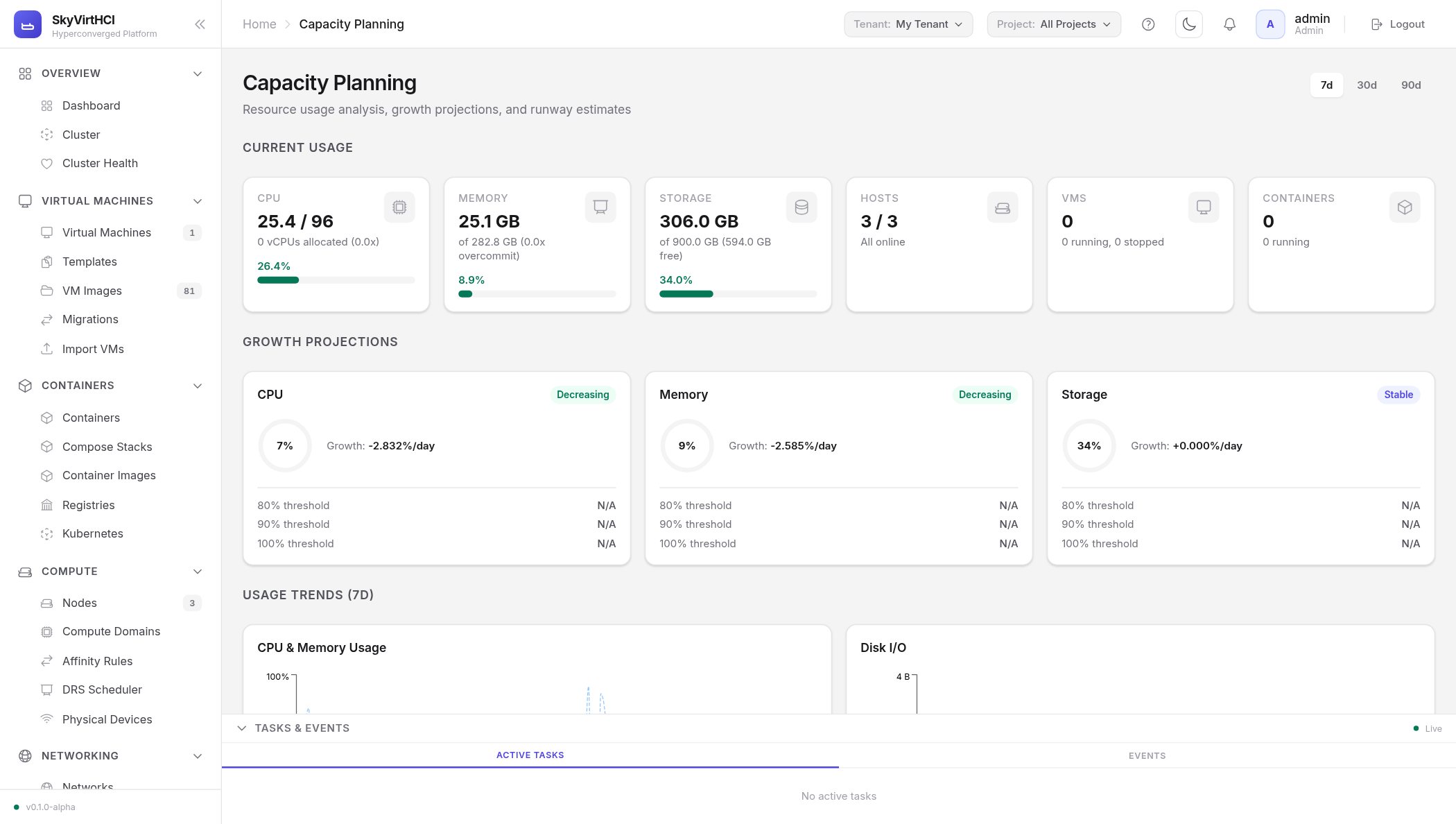
Capacity planning — growth projections and runway estimatesNo add-on licenses, no feature tiers. The platform ships complete.
Create, clone, snapshot and template VMs. Live-migrate them between hosts without downtime. Attach consoles from the browser. Schedule placement automatically or pin workloads where you want them.
Every disk in the cluster becomes part of one resilient storage pool. Data is replicated across hosts, so a failed drive or a failed server doesn't take your workloads with it.
Virtual networks, routers, security groups, load balancers, floating IPs and VLANs — defined in software, applied in seconds, isolated per tenant.
If a host fails, its VMs restart elsewhere automatically. Admission control keeps enough headroom in reserve so failover actually works when you need it.
Run containers next to your VMs, or provision full Kubernetes clusters on the same hardware, from the same console.
Tenants, projects, quotas and per-tenant networks keep teams, departments or customers cleanly separated on shared hardware.
Every node contributes compute, storage and networking; the platform pools them into one system. There is no storage appliance to buy, no network controller to deploy and no separate management server to babysit.
The console, API and schedulers run replicated across the cluster — losing a node never means losing control.
Data is striped and replicated across nodes. A failed disk re-heals automatically; a failed node doesn't lose a byte.
Tenant networks, firewalling and load balancing exist on every node at once — VMs keep their network wherever they run or move.
Backups stream to off-site targets with write-once retention; replication and recovery plans bring whole applications up at a second site.
Day-2 operations are where platforms earn their keep. SkyVirtHCI treats operations as a first-class feature, not an afterthought.
Upgrade the platform node by node while workloads keep running. Built-in preflight checks refuse to start an upgrade the cluster isn't healthy enough to survive.
Scheduled snapshots, application-consistent backups, incremental-forever copies, off-site targets, encryption, and write-once retention that ransomware can't delete.
Replicate VMs to a second site, group them into recovery plans with boot order, and rehearse failover without touching production.
Per-VM and per-host metrics with history, capacity forecasting, an alerting engine with e-mail, chat and webhook delivery, and a standard metrics endpoint your existing monitoring can scrape.
Single sign-on, enforced multi-factor authentication, fine-grained custom roles, scoped API keys, and a complete audit trail that forwards to your SIEM.
Everything installs and updates from local media. No phone-home, no mandatory internet — suitable for classified and isolated environments.
SkyVirtHCI connects directly to your current environment, discovers its virtual machines, and imports them — disks, network cards and all. For running workloads, warm migration copies the bulk of the data while the source VM stays up, then completes the move in a cutover measured in seconds, not hours.
Import directly from vCenter or a standalone host. A calm, honest look at what changes and what doesn't.
Hyperconverged to hyperconverged: what to check before you switch, and how the economics compare.
For teams that have outgrown manual cluster care and want multi-tenancy and DR as products, not projects.
We built SkyVirtHCI on mature, widely deployed virtualization technology that has run production workloads for well over a decade — then spent our effort on the parts that usually hurt: clean installation, safe upgrades, recoverable failures and a console operators actually enjoy. You get a platform that is boring in the best possible way.